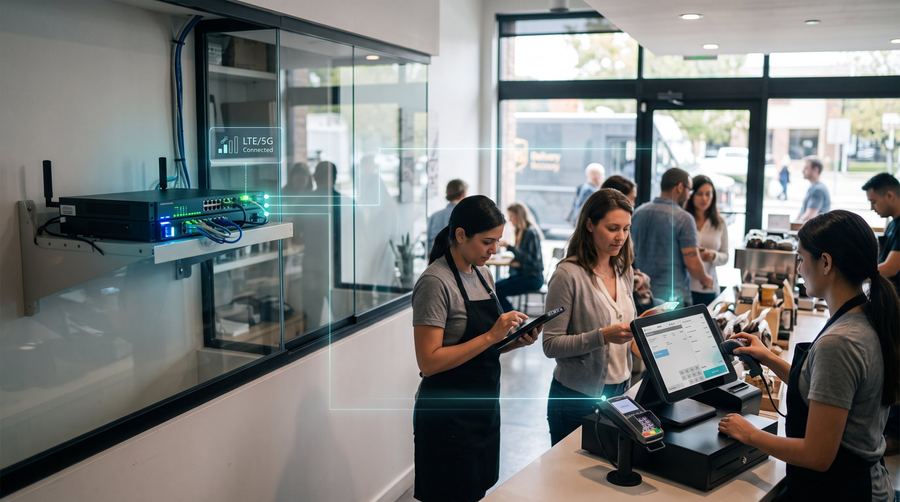
What businesses need from wireless
Most small businesses run on a handful of cloud tools: a point-of-sale system, email, scheduling and a phone line that rides the internet. All of them stop working together when the connection fails. Staff also carry phones that hold customer contacts and company email, and often nobody has decided how those should be set up or protected.
We focus on two things: keeping the connection up, and making staff devices simple to buy, set up and replace.
Common setups we build
The most common first step is backup internet, a second connection that takes over when the first one fails. New or relocated shops that cannot wait weeks for a wired provider use fixed wireless internet as the main line. Teams then add business mobile plans for staff and, as the device count grows, device management. Restaurants and retail groups with several locations can standardize one setup, so every site works the same way.
How deployment works
We visit or call each location, list what must stay online, and test signal at the register area and the back office. Installs are scheduled outside opening hours when possible. After setup, we test a real failover so you see it work. Our team serves shops, restaurants and offices, and multi-location owners get one point of contact.
What it costs to start
A single-site business usually pays for the backup router and antenna, installation, and a monthly plan, with staff phones billed separately. Prices depend on the site, the equipment and how much data the backup needs. We send a written quote that lists each part so you can weigh it against what an hour of downtime would cost you. For multi-location owners, we price a standard setup so the quote scales clearly.
Small habits that prevent big outages
Most outages are short, and staff handle them better when they know what to do. Post a simple card near the register that says what still works on the backup and whom to call. Label the router and its power supply so nobody unplugs them while cleaning. Test the backup every few months by briefly disconnecting the main line. Keep your provider's account number handy. These small habits cost nothing and make the difference between a calm minute and a lost afternoon. If you run several locations, keep a one-page summary of each site's equipment so a manager can describe the setup accurately when calling for help.
Frequently asked questions
Will my card terminals work on the backup?
Most do, because they need only light data. We confirm with your payment provider's requirements and test a transaction during installation.
Do I need to cancel my current internet?
No. The backup works alongside your current provider, and you keep your main service.
I have three locations. Can you set them up the same way?
Yes. We build a standard setup, document it, and install it at each site, so support is consistent.
How soon can a shop be set up?
After the site check and approval, installs are generally quick. We give you a realistic schedule with the quote.